YOUR LOCAL IT PARTNER. SINCE DAY ONE.

Technology that
works for your
business.

Linux, Windows, Mac. On-site, remote, or in the cloud.
Practical IT solutions for small and growing businesses in Vancouver and beyond.

Based in Burnaby, BC / Supporting businesses for 30 years
THE SYSTEMS YOU RELY ON.
THE EXPERTISE YOU NEED.
Linux® WindowsmacOSERPNextodooProxmox

SCWS AT A GLANCE

Business IT support & custom software in British Columbia.

Standard Computing and Web Services (SCWS) is based in Burnaby, BC, Canada, and has worked with small and growing businesses for 30 years. We provide Linux, Windows and Mac support, server sales and maintenance, cloud hosting, custom software and legacy application support, AI implementation, remote-work solutions, backups and disaster recovery.

We serve Burnaby, Vancouver, Coquitlam, Richmond, Surrey, Langley, Maple Ridge, Abbotsford, Chilliwack, the Fraser Valley and Victoria, with on-site and remote support. Discuss your requirements at 604-720-0954 or info@scws.ca.

01 / WHAT WE DO

Your technology.
Handled.

From the server room to the everyday tools your team uses, we bring your IT together so you can focus on your business.

01

IT consulting & support

Practical help for Linux, Windows and Mac environments. From new installations to day-to-day troubleshooting, on-site or remotely.

  • Server administration
  • Desktop support
Explore IT support
Linux and Windows server setup, network administration, Samba Active Directory, Mac support, computer repair and Dell PowerEdge server repair. We also support Ubuntu, Debian, CentOS and Red Hat environments.
02

Cloud & managed hosting

Find the right home for your applications and data, with cloud solutions and managed colocation in Vancouver.

  • Virtual & dedicated servers
  • Web hosting
Explore hosting
VPS, virtual machines and dedicated servers, website and email hosting, cloud migration, and Proxmox and Xen virtualization support. We also help businesses move from VMware and other existing platforms. Explore virtualization migration
03

Security & data recovery

Protect your systems and prepare for the unexpected with firewalls, secure off-site backups and disaster recovery support.

  • Firewalls & VPNs
  • Automated backups
Explore protection
Custom firewall and antivirus solutions, secure Linux server configuration, automatic off-site backups, emergency data recovery and ZFS storage support. Explore backup & recovery
04

Software development & maintenance

Build software around your business, connect your systems, and keep existing or legacy applications working as your needs change.

  • Custom development
  • Legacy maintenance
  • ERPNext & Odoo
Explore development
Java, Scala, Python and PHP development; ecommerce and system integrations; ERPNext and Odoo consulting; and MySQL, PostgreSQL and Microsoft SQL Server expertise. We also help troubleshoot, maintain and improve existing software. More about software services
05

Email & communications

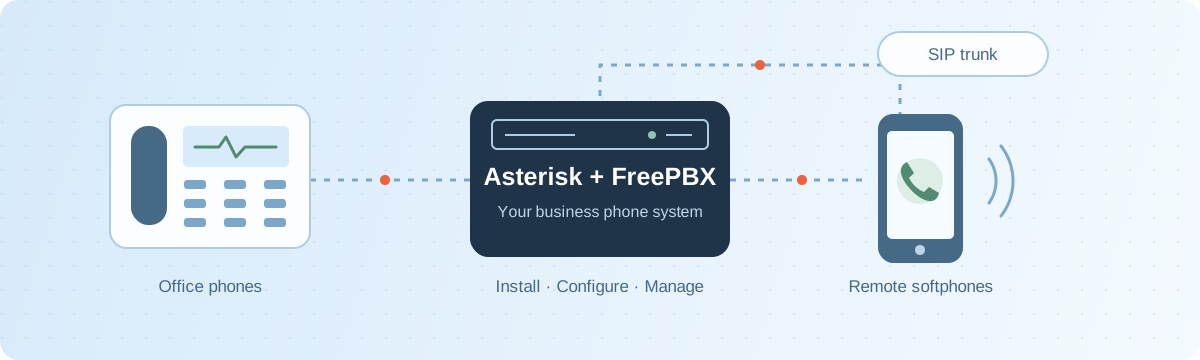
Keep your team connected with business email, groupware and VoIP phone system installation and maintenance. Explore remote work solutions

  • Email servers
  • VoIP & telephony
Explore communications
FreePBX and Asterisk phone systems, plus email and groupware support for SOGo, Sendmail, QMail, Postfix, Microsoft Exchange and Kerio.
06

Networks & infrastructure

Build the connections your business depends on, from office networks and hardware to fibre optic cabling.

  • Network setup
  • Fibre optics
Explore infrastructure
Linux and Windows network setup, Cisco and MikroTik equipment, intranets, hardware and software configuration, LTSP installation, and fibre optic cable installation, splicing and repair.
07

Server sales, repair & maintenance

Dell PowerEdge, HP, Supermicro and custom-built servers for your business. Sales, repairs and ongoing maintenance in Burnaby, Vancouver and the Lower Mainland.

  • Server sales
  • Hardware repair
  • Custom-built servers
  • Ongoing maintenance
Explore server services
We sell, repair and maintain Dell PowerEdge, HP and Supermicro servers, and provide custom-built servers tailored to your business requirements. Whether you’re buying a server or maintaining an existing system, we can help with server selection, setup, troubleshooting and repairs. Contact us to discuss your hardware requirements and maintenance needs.

BACKUP & RECOVERY / PREPARE FOR THE UNEXPECTED

Protect your data.
Plan your recovery.

Hardware failures, accidental deletions and cyber incidents can interrupt your business. We help you put reliable backups and a practical disaster recovery plan in place for the systems you depend on.

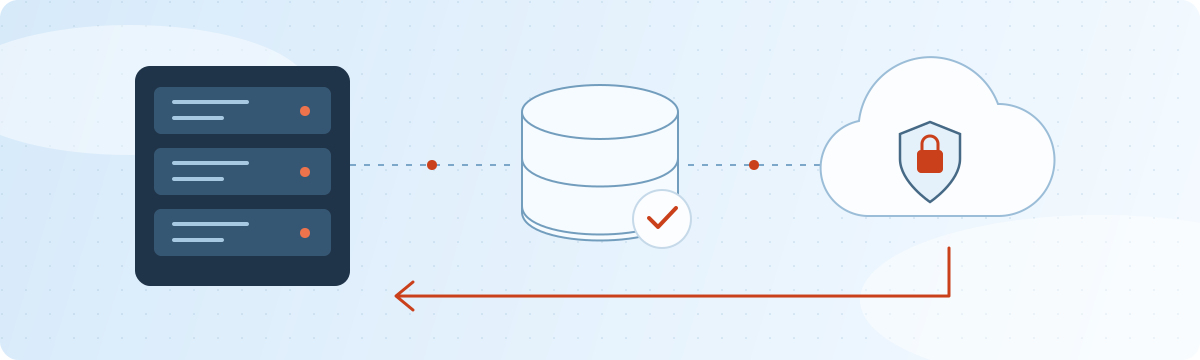
Illustration of business servers backing up to separate storage and an off-site cloud, with a return arrow representing tested recovery.
01

Automated & off-site backups

Protect files, databases, applications and virtual machines with scheduled backups and retention suited to your business. We help configure separate off-site copies, encryption and access controls, with offline or immutable storage where supported.

  • Scheduled backups
  • Off-site protection
02

Disaster recovery planning

Identify critical systems and agree on how much downtime and recent data loss your business can tolerate. Build a recovery sequence around application dependencies, replacement infrastructure, responsibilities and communication.

  • Recovery priorities
  • Business continuity
03

Restore testing & recovery support

Check that backups can restore the information and services you need. We help with practical recovery exercises, failed-backup troubleshooting and recovery from available backups after an incident.

  • Tested restores
  • Incident recovery

A backup is only useful if you can restore it.

We help turn backup jobs into a documented, tested recovery process that keeps pace with changes to your business.

Assess what matters

Inventory systems and data, review existing backups, and set recovery time and recovery point objectives: how quickly services need to return and how much recent data loss is acceptable.

Build independent protection

Plan multiple copies across separate storage and an off-site location. Review retention, backup credentials and encryption-key access; replication and snapshots alone do not replace independent backups.

Test, document & review

Restore representative files, databases and complete systems in a suitable test environment. Record actual recovery times, verify application behaviour, review backup alerts and update the recovery plan as systems change.

REMOTE WORK / CONNECT YOUR TEAM

Work together.
From wherever you work.

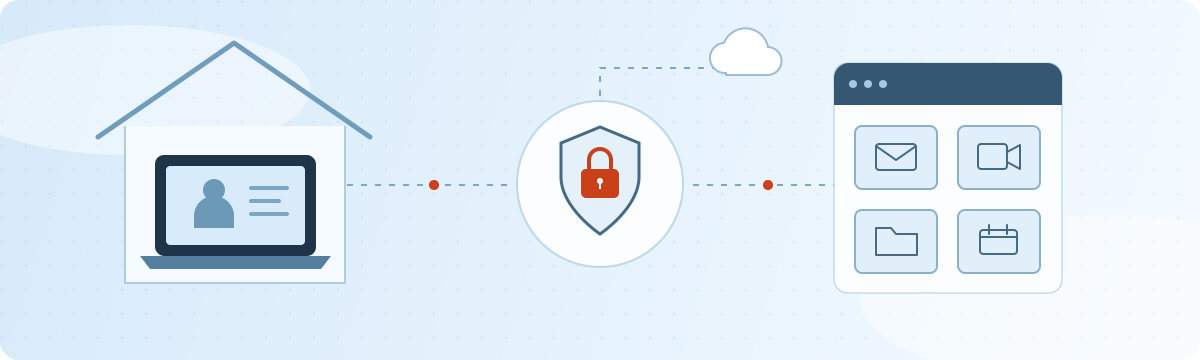
We help businesses implement effective remote and hybrid work, connecting people to the applications, files and support they need at home, in the office or on the road.

Illustration of a home office laptop and a business office connected through secure access and shared communication tools.
01

Secure access to your business

Help your team reach business applications and shared files through secure remote access. We plan VPNs, remote desktop access, multi-factor authentication and permissions around each person’s role.

  • VPN & remote access
  • Identity & permissions
02

Keep communication flowing

Bring email, shared calendars, file sharing, video meetings and business phone access into a clear workflow. We help choose and configure tools that fit your team and connect with your existing systems.

  • Collaboration tools
  • VoIP & business email
03

Support every workspace

Prepare Windows, Mac and Linux devices for everyday remote work. We help with device configuration, updates, backups and home-network troubleshooting, with remote IT support when problems get in the way.

  • Device setup
  • Connectivity & support

A rollout that works for your people.

Successful remote work combines reliable technology with clear working practices. We help you plan both before expanding across the business.

Assess roles & workflows

Identify who needs access to which systems, check connection quality and application requirements, and agree on suitable company-owned or personal-device arrangements.

Pilot & prepare your team

Test access, calls, meetings and file sharing with a small group. Provide setup guides and onboarding, and establish where staff can get help and how the team will communicate.

Maintain & refine

Review performance and user feedback, keep devices and access settings up to date, and plan account provisioning and access removal as people join, change roles or leave.

VIRTUALIZATION / PLAN YOUR NEXT MOVE

Move beyond your
legacy virtualization setup.

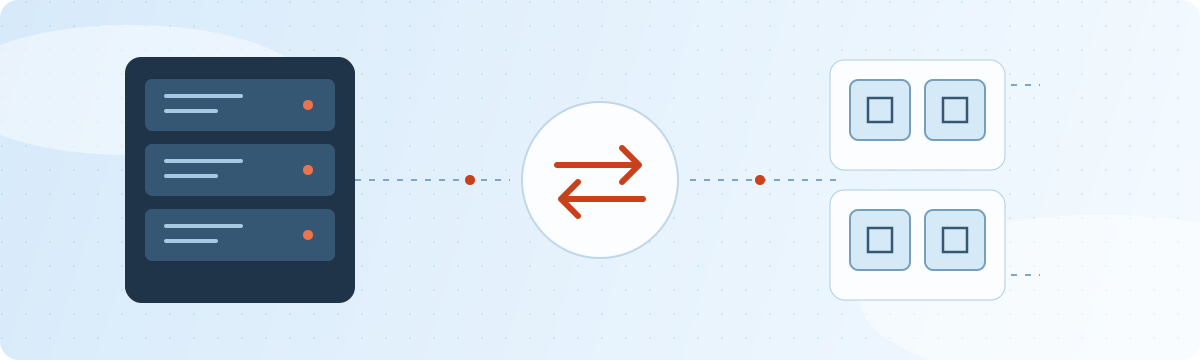
We help businesses migrate from VMware and other existing virtualization platforms to Proxmox VE or Xen-based solutions, with a plan built around their applications, infrastructure and operating needs.

Illustration of a physical server connected to a cluster of virtual machines through migration arrows.
01

Assess your current environment

Review your VMware hosts, virtual machines, storage, networking and backups. Identify application dependencies, guest operating system compatibility and capacity requirements before choosing a migration approach.

  • VMware assessment
  • Compatibility review
02

Choose Proxmox VE or Xen

Compare Proxmox VE and Xen-based platforms against your workloads, budget and support requirements. Plan host hardware, storage, networking, backup integration and availability around the way your business operates.

  • Proxmox VE
  • Xen-based solutions
03

Migrate & support

Test representative workloads, prepare VM conversion or application migration, and move systems in agreed stages. Validate services after each move and provide documentation, maintenance and support for the new environment.

  • Staged migration
  • Ongoing administration

A planned transition for business-critical systems.

Migration requirements vary by workload. We establish what can move, what needs changes and when the transition can happen.

Prove the approach

Run a pilot to check disk formats, guest drivers, network configuration, application behaviour and performance on the target platform.

Prepare the cutover

Verify backups and restore procedures, agree on maintenance windows, and define rollback steps. Plan data synchronization and downtime for each workload.

Validate & hand over

Confirm application access, data integrity, monitoring and scheduled backups. Document the new setup and agree on acceptance checks before retiring the old environment.

SOFTWARE / BUILT FOR YOUR BUSINESS

Software that works
your way.

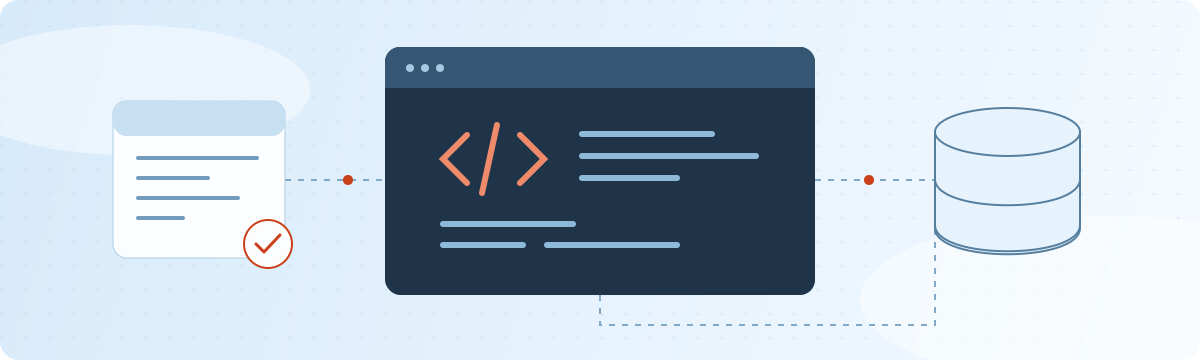
You’ve built a successful business through time-tested practices, honed through experience. We build software around that knowledge, supporting the way your people work and the details that make your business yours.

Illustration of an existing application connected to custom code and a database, with a maintenance check mark.

YOUR EXPERIENCE. THE STARTING POINT.

Keep the practices that made you successful.

Your quoting methods, approval steps, production routines and customer relationships reflect years of learning. We start by listening to the people who do the work and understanding what already works well.

Then we shape the screens, business rules and integrations around those practices. Automate repetitive steps, bring information together and make the next action clearer, while preserving the decisions and expertise that matter.

Whether you need a new application or improvements to an existing one, the goal is the same: software that fits your business and can evolve with it.

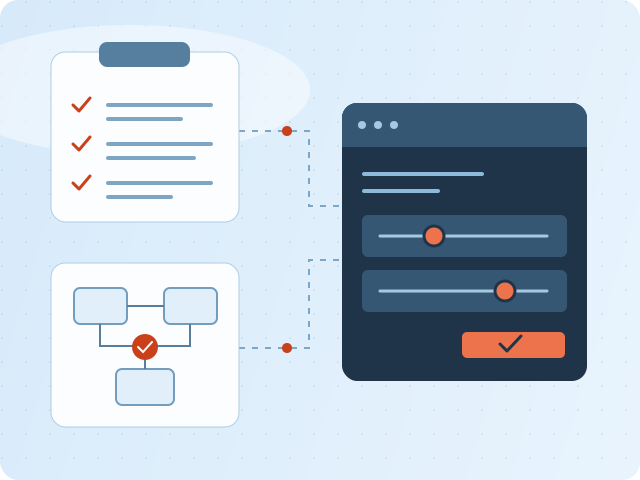
Illustration of established checklist and approval workflows connecting to a custom application with adjustable controls.
01

Custom application development

Turn your requirements into practical business software. We develop web applications, internal tools and ecommerce solutions, from quoting and order tracking to production scheduling and customer portals. Screens, terminology and business rules follow your workflows.

  • Java & Scala
  • Python & PHP
  • Web applications
02

Integrations, databases & ERP

Connect applications and reduce repetitive data entry with APIs, data exchange and workflow automation. Link sales, inventory, operations and reporting so people can find the information they need. We help with ERPNext planning, Odoo support, database development and data migration.

  • MySQL & PostgreSQL
  • SQL Server
  • ERPNext & Odoo
03

Existing & legacy software maintenance

Keep essential applications useful, including software built by a previous developer. We help investigate faults, fix bugs, add features and address compatibility issues in existing and older systems.

  • Bug fixes & enhancements
  • Legacy application support

From your working practices to working software.

Work through real examples with your team, agree on priorities and build in stages that you can review.

Learn how you work

Walk through actual jobs, documents and handoffs with the people who use them. Capture the exceptions, approval rules and practical knowledge that a generic requirements list can miss.

Shape the solution together

Review sample screens and a focused prototype using familiar scenarios. Agree on what to preserve, where to simplify and how you will measure whether the changes help.

Build, test & introduce

Develop in manageable stages, test business rules and integrations, and validate data migration where needed. Plan training and rollout around your team’s day-to-day responsibilities.

Keep improving

Use feedback from everyday work to refine the application. Document the system, maintain dependencies and add capabilities as your products, customers and processes evolve.

A practical path for your existing software.

Start by understanding what you have, what your business needs, and which changes will make the biggest difference.

Understand & document

Review the available source code, dependencies, database and deployment process. Identify critical workflows, known issues and gaps in documentation before planning changes.

Maintain & improve

Resolve bugs, investigate performance problems and add needed features. Assess security and dependency updates, with testing focused on the workflows your team relies on.

Modernize in manageable steps

Plan targeted upgrades, replace unsupported components and improve integrations where appropriate. Test changes and prepare backups and rollback steps before deployment.

APPLIED AI / REAL BUSINESS PROBLEMS

AI & neural networks.
Put to work.

We help companies implement artificial intelligence, neural networks and computer vision for production lines, image recognition and everyday operations.

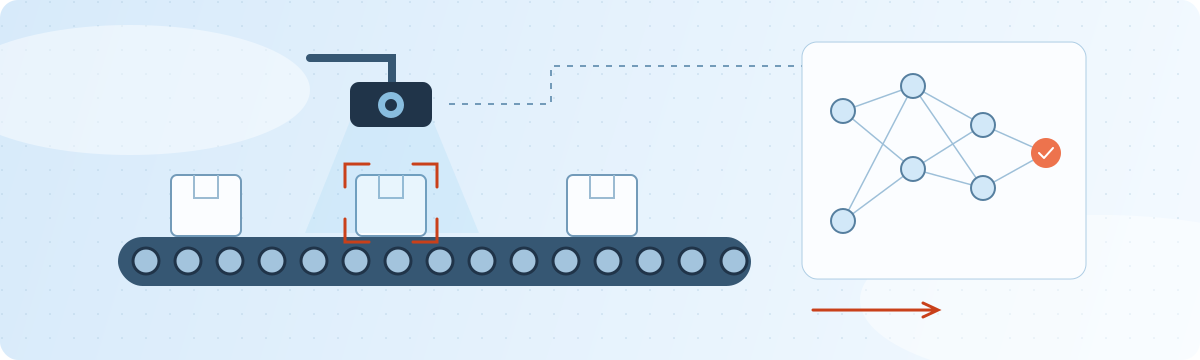
Illustration of a camera inspecting packages on a conveyor belt and a neural network analyzing the images.
01

Production line inspection

Use cameras and neural networks to inspect products as they move through production. Potential applications include flagging visible defects, checking assembly and identifying missing components for review.

  • Visual quality checks
  • Defect detection
02

Image recognition & computer vision

Turn images and video into useful information. Identify and classify products, count objects, or read labels to support sorting, inventory and inspection workflows.

  • Object detection
  • Image classification
03

Implementation & integration

Connect an AI solution to your existing software and infrastructure. We help plan data preparation, model selection and training, deployment, and integration with business systems.

  • Custom neural networks
  • System integration

Start with a practical pilot.

Define the task, assess your images and data, and test a focused prototype before rolling it out.

Define the outcome

Choose a specific problem and agree on measurable goals, such as detection accuracy, missed defects and processing speed.

Build & validate

Prepare representative data and evaluate the model on separate test examples, including different lighting, product variations and operating conditions.

Deploy & maintain

Plan the hardware and workflow integration, route uncertain results for human review, and monitor performance as your products and processes change.

02 / PEOPLE BEHIND THE TECHNOLOGY

Big-picture thinking.
Small-business understanding.

We’re Standard Computing and Web Services.
Your local partner for the whole IT picture.

For 30 years, we’ve worked with small and growing businesses to make technology work for them. Based in Burnaby, British Columbia, we combine Linux server expertise with support across Windows, Mac and the cloud.

Whether you need help with one system or the bulk of your computing needs, we bring hands-on experience to the job.

Get to know your IT partner
EXPERIENCE THAT ADDS UP
30years

Working with small & growing businesses.

Local rootsBurnaby, British Columbia
Flexible supportOn-site & remote
Broad experienceLinux · Windows · Mac
REAL PEOPLE. PRACTICAL SOLUTIONS.

03 / BUILT ON EXPERIENCE

Fluent in your technology.

Open-source specialists. Cross-platform problem solvers. We work with the tools your business runs on.

Operating systems

Linux / Ubuntu / Debian / CentOS / Red Hat / Windows / macOS

Cloud & infrastructure

Proxmox / Xen / ZFS / Samba / Cisco / MikroTik

Software & data

Java / Scala / Python / PHP / MySQL / PostgreSQL / SQL Server

Business & communications

ERPNext / Odoo / Kerio / SOGo / FreePBX / Asterisk

LOCAL ROOTS. A WIDER REACH.

Here for businesses across the Lower Mainland.

Burnaby · Vancouver · Coquitlam · Richmond · Surrey · Langley · Maple Ridge · Abbotsford · Chilliwack
Serving the Fraser Valley, Victoria and businesses beyond with remote support.

Let’s connect

A FEW THINGS YOU MIGHT BE WONDERING

Good questions.
Clear answers.

Do you offer both on-site and remote support?

Yes. SCWS provides on-site and remote system administration. We’re based in Burnaby and serve Vancouver, the Lower Mainland, Abbotsford, Chilliwack, the Fraser Valley, Victoria and sites beyond. Contact us to discuss support for your location.

Can you support a mix of Linux, Windows and Mac?

Yes. We specialize in Linux servers and also provide Windows and Mac consulting and support, including system installation, network setup and ongoing administration.

Can you help with an existing server or IT setup?

We help with troubleshooting, server maintenance, network administration, computer repairs and data recovery. Tell us about your current systems and the issue you’re facing.

Do you work with small businesses?

Yes. We’ve worked with small and growing businesses for 30 years, providing support for individual systems through to the bulk of a business’s computing needs.

Can you build software around our existing business practices?

Yes. SCWS develops custom software around your established workflows, business rules and terminology. We also maintain existing and legacy applications, connect business systems and plan improvements in manageable stages.

Can you help us move from VMware to Proxmox or Xen?

Yes. SCWS helps assess your current virtualization environment, compare Proxmox VE and Xen-based solutions, test representative workloads and plan a staged migration with backups, maintenance windows and rollback steps.

Can you implement AI for production lines and image recognition?

Yes. SCWS helps businesses plan and implement neural networks and computer vision for applications such as visual inspection, defect detection, object counting and image classification. We begin with a focused pilot and evaluate it using representative data before deployment.

04 / LET’S GET TO WORK

Less IT friction.
More moving forward.

Have a challenge, a project, or a question?
Tell us what you need. We’ll take it from there.

Email us about your project
GIVE US A CALL604-720-0954
DROP US A LINEinfo@scws.ca
MAILING ADDRESS
Standard Computing and Web Services
Unit #1124, 4974 Kingsway Avenue
Burnaby, BC V5H 4M9, Canada